Agent Computer Use
A CLI that lets AI agents drive a real desktop.
- Role
- Contributor
- Period
- 2026
- Repo
- github.com
Overview
agent-cu is a Rust CLI that lets AI agents control desktop apps. It reads UI state from the operating system's own accessibility APIs instead of from screenshots or OCR, so clicks don't steal focus or activate a window, and typing goes straight into the value of the target element. For Electron apps like Slack, Cursor, VS Code, Notion, and Discord, it also attaches to the Chrome DevTools Protocol and runs JavaScript inside the renderer, so a single command works whether the element is a native button or a React component rendered inside a webview.
Every platform-specific backend sits behind the same Platform trait: macOS uses AXUIElement, Linux uses AT-SPI2, Windows uses UIAutomation. macOS is the mature one today; Linux and Windows ship as preview backends while they fill in. The CLI itself and the shared core have zero platform branches.
Role
I contributed to the CLI. Most of my work was on the command surface, the selector DSL, the snapshot output, and the skill file that teaches agents how to actually use the tool without drifting.
The Loop
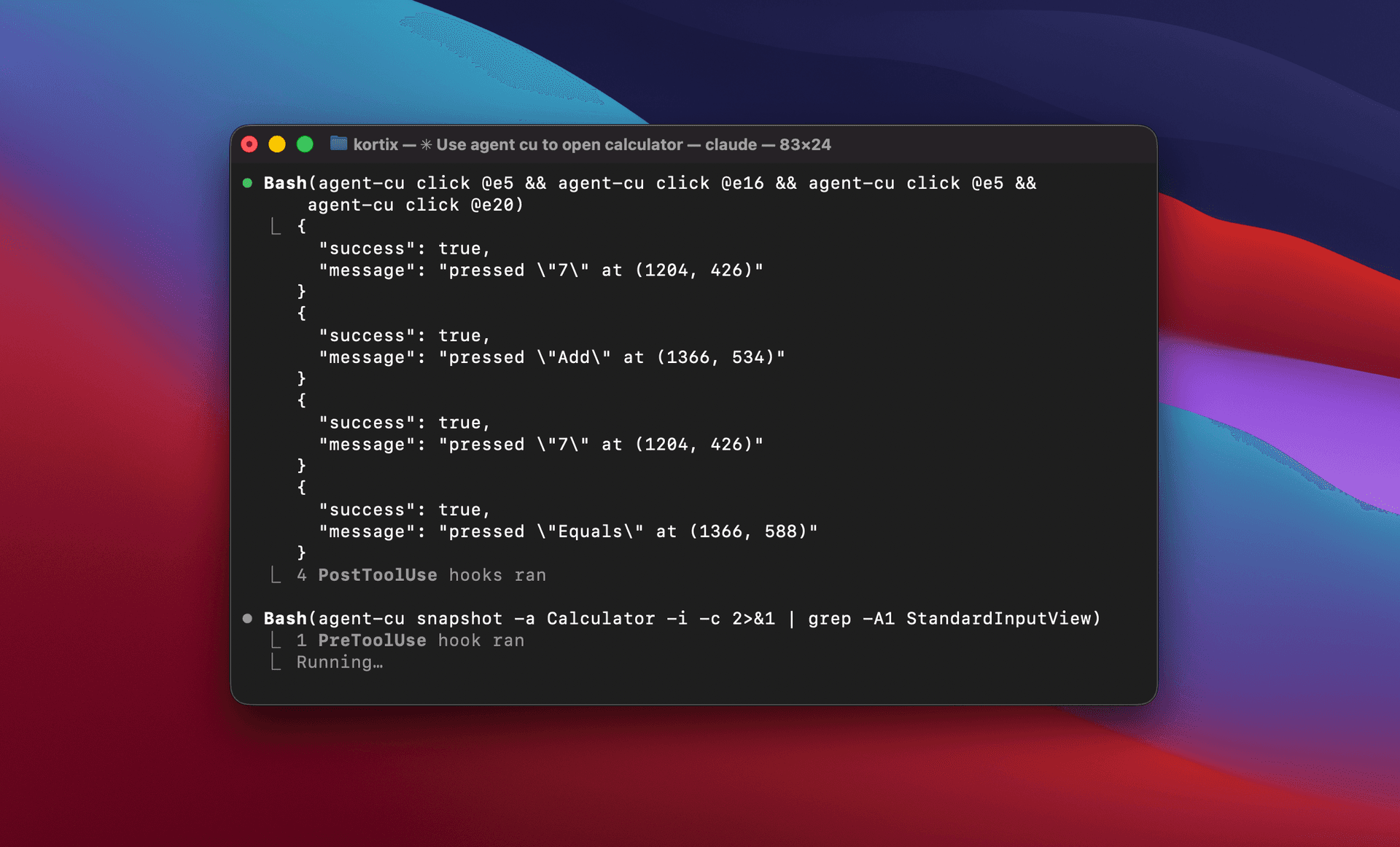
The whole tool is built around a four-step loop: snapshot, identify, act, verify. The agent takes a snapshot of an app's interactive elements, picks the right one by ref or selector, performs the action, and re-snapshots to confirm the UI changed the way it expected. Every action invalidates every ref from the previous snapshot, which sounds restrictive but is the reason the tool stays honest about what's actually on the screen. An agent that acts on a stale ref fails loudly instead of clicking the wrong thing.
An agent can't act on stale UI if the tool refuses to let it try. Every action invalidates every ref, and the next command has to start from a fresh snapshot.
AX + CDP
The interesting architectural bit is that agent-cu is two tools in one. On native apps it talks to the OS accessibility layer: AXPress and AXSetValue on macOS, AT-SPI2 actions on Linux, UIAutomation patterns on Windows. On Electron apps it switches to the Chrome DevTools Protocol, runs JavaScript in the renderer, and reaches straight into the DOM. That gives the tool CSS selectors, event dispatch, and the full model a web developer already knows.
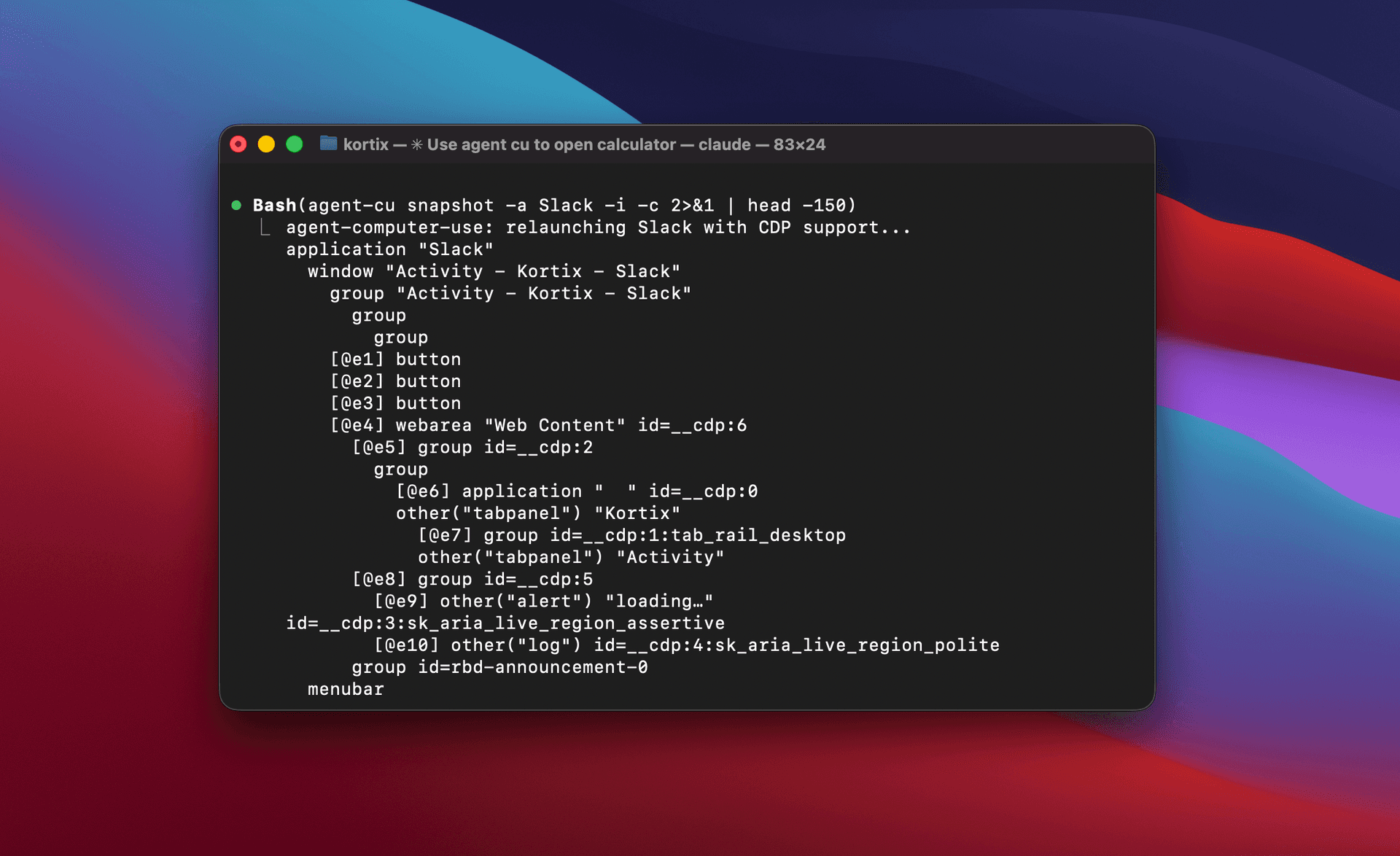
Both paths sit behind a single Platformtrait, with the CDP bridge wrapped as a decorator around whichever native backend is live. The CLI doesn't know or care which one is servicing a given command. When the agent snapshots Slack, the tree stitches the native window and the Chromium DOM into one set of refs, so @e37 might be a native menu item and @e38 might be a <div> inside the webview. Every downstream command acts on them the same way.
CDP ports are discovered by scanning process args, cached in .agent-cu/cdp-ports.json, and relaunched automatically if an app isn't already running with a debug port. The first run of an Electron app takes a few seconds; everything after that resolves in milliseconds.
Snapshots
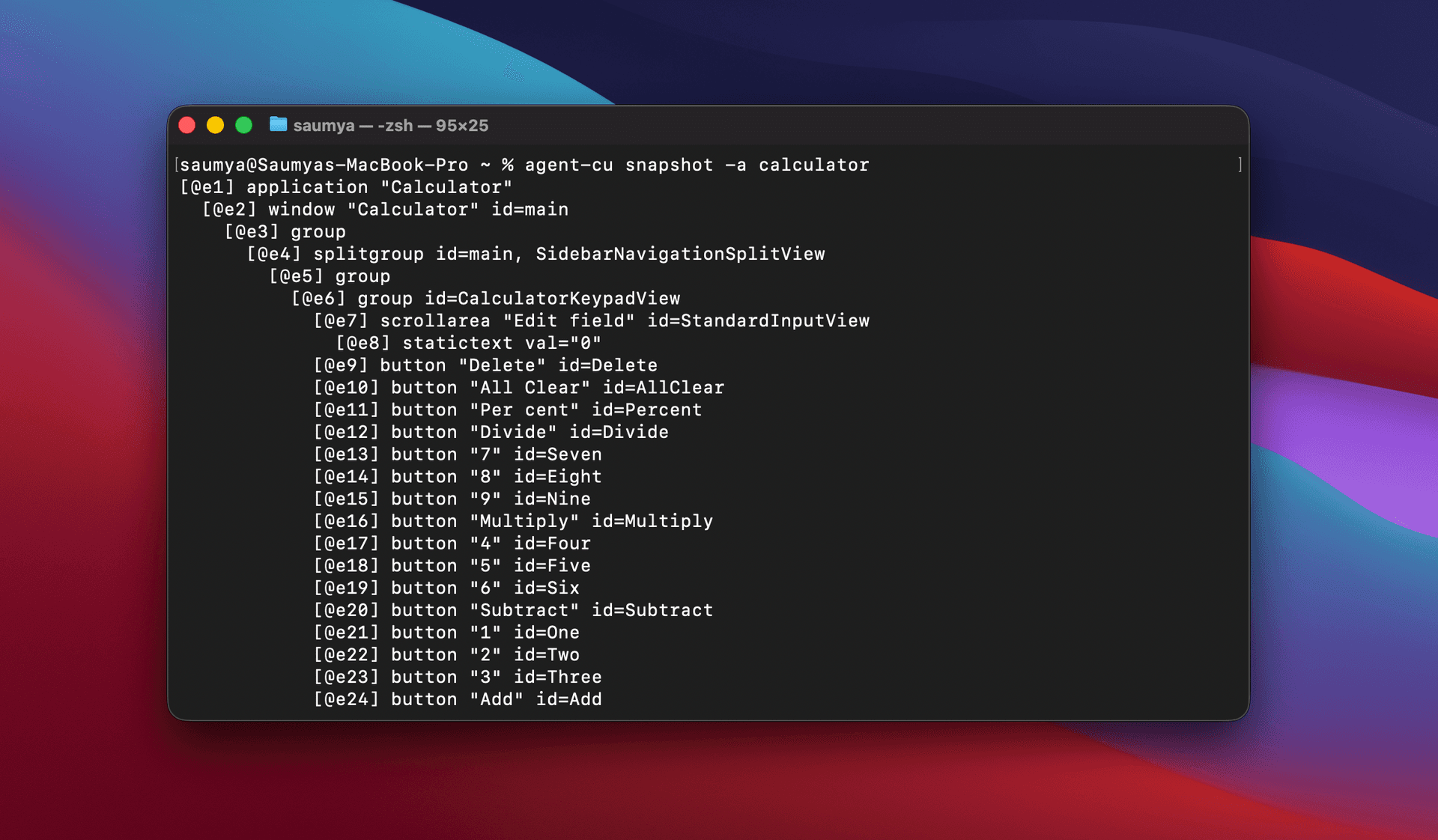
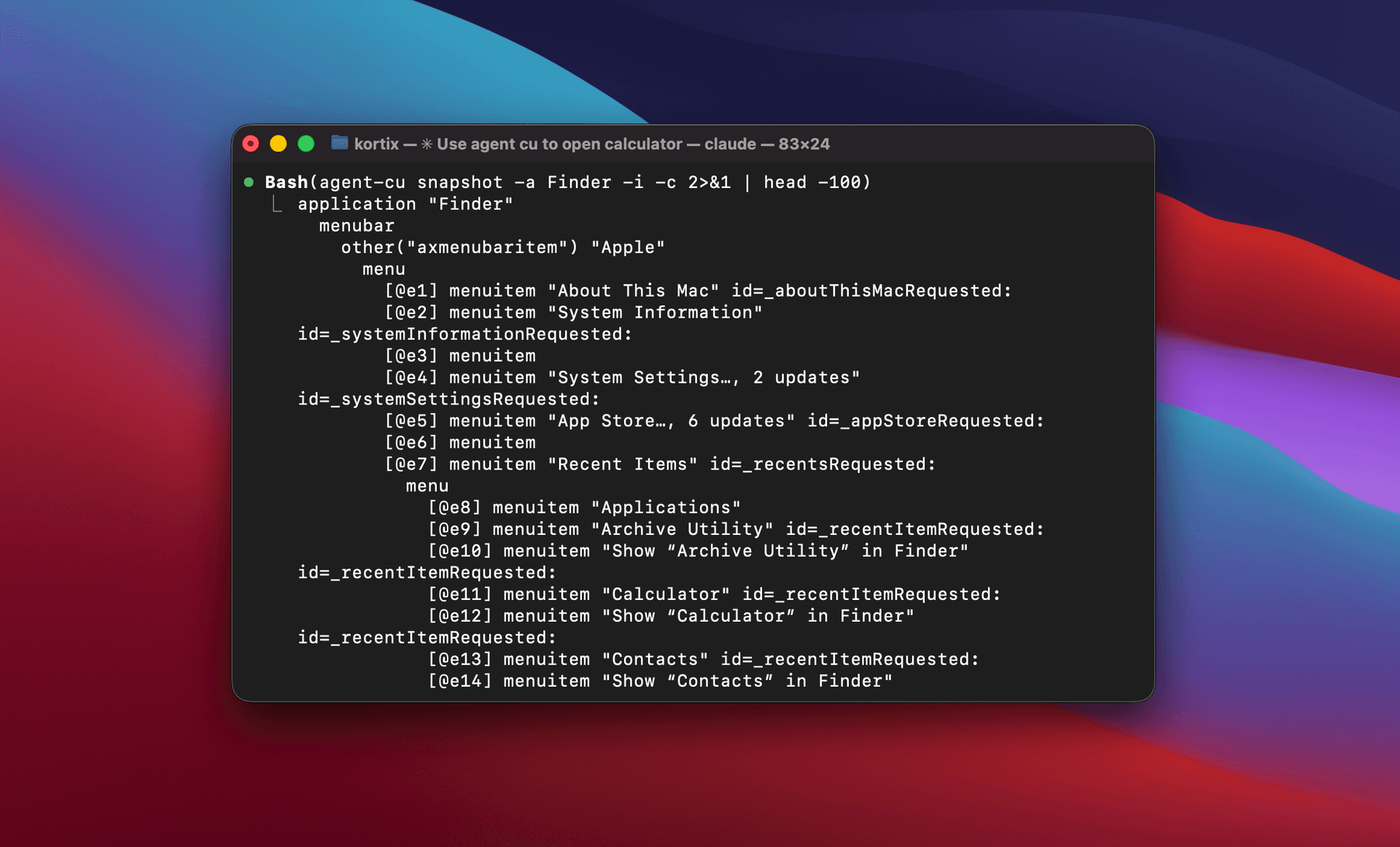
A raw accessibility tree is too noisy for a model. A real app has hundreds of nodes most of which are structural wrappers the agent will never care about. So snapshots come with three knobs: -i assigns refs only to interactive elements (buttons, text fields, links), -c strips out empty wrapper nodes, and -d N caps how deep the tree walks. The combination an agent actually wants is-i -c, which cuts the rendered output by about ten times while keeping every element it can meaningfully act on.
The other half of "how agents use this correctly" isn't code, it's the SKILL.mdfile that ships alongside the binary. It's a few hundred lines of guidance: snapshot before acting, re-snapshot after acting, prefer refs over selectors, use ensure-text instead of blind typing, wait after navigation, verify with get-value after a type. A lot of the contribution work was on that file, because the CLI is only as reliable as the instructions an agent reads when it first picks the tool up.
Selectors
There's a small selector DSL so an agent can describe what to click without knowing refs. Match by role (role=button), exact name (name="Login"), partial name (name~="Log"), id, index (role=button index=2 for the third match), or CSS for Electron elements. Selectors can chain with >>to mean "inside", so id=sidebar >> role=button index=0 is the first button inside the sidebar.
The parser is hand-written in a couple hundred lines. No regex. Quoted strings, bare words, key-value pairs, chain operator, all walked character by character. Simple to extend, easy to debug, and forgiving about whitespace.
Refs
Refs look simple and aren't. A snapshot assigns sequential handles (@e1, @e2, @e3) to every interactive element. The next time the agent acts, those refs are almost certainly stale because the UI has moved. So the tool stores a path alongside each ref (tree indices down from the root) in .agent-cu/refs.json. When an agent reuses a ref, the tool first tries to resolve it by path. If the tree hasn't shifted much, the ref still works. If it has, it falls back to a full search using the stored role and name.
The agent never has to know any of this. It gets sensible behavior when it slips up, and hard errors when the element is genuinely gone.
Commands
The CLI exposes around twenty-five commands, all built on the same primitives. The ones agents use most are snapshot, find, click, type, key, wait-for, and get-value. There are a handful of power-tools around those.
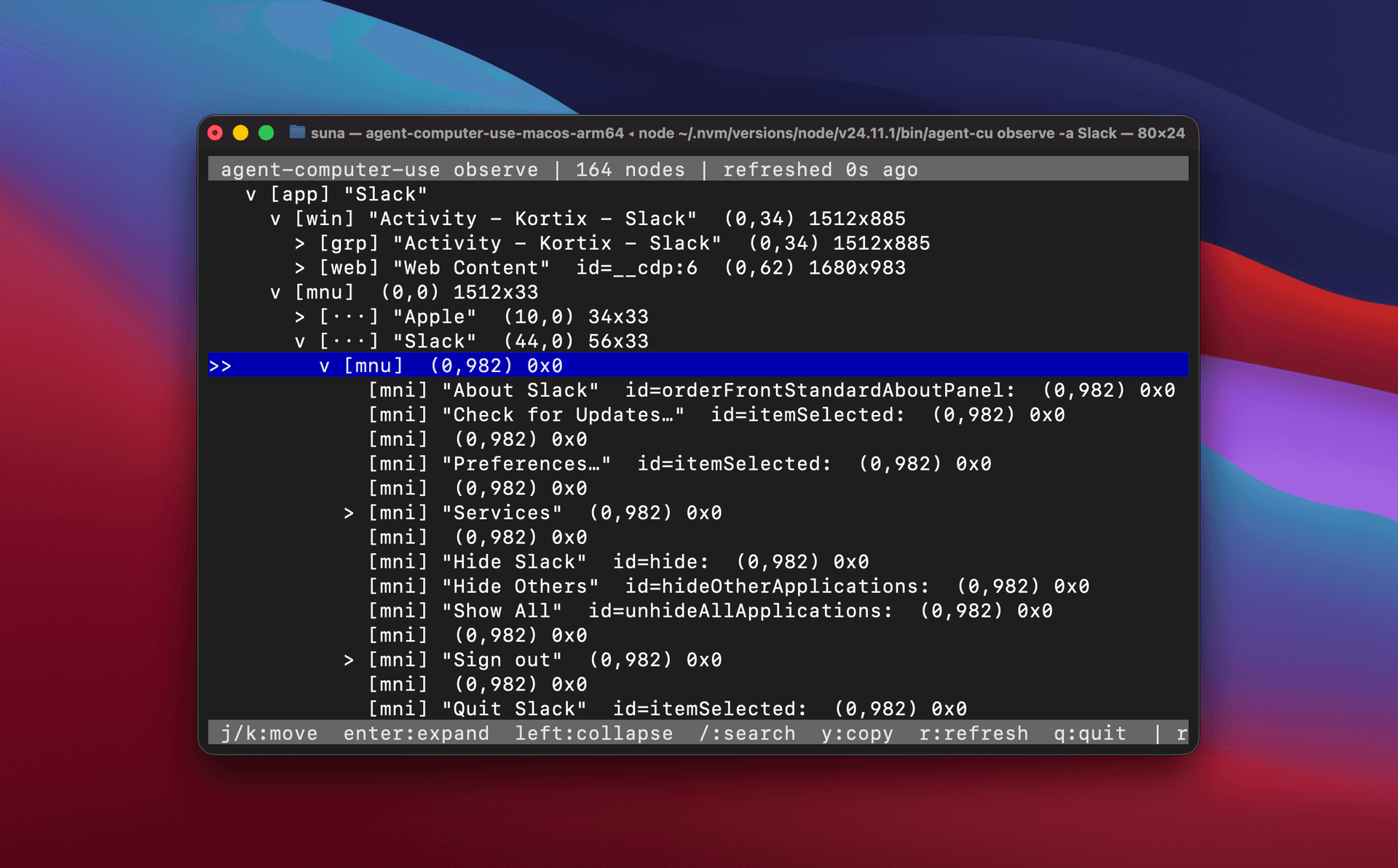
A ratatui TUI for exploring the accessibility tree live. j/k to navigate, Enter to expand, / to search, y to copy a selector to the clipboard, q to quit. It's what I use when I'm writing a workflow by hand and trying to figure out the right ref or selector for a specific element.
A JSON array of commands read from stdin and executed in one process. Skips the startup cost of spawning a fresh CLI per action, which matters when an agent wants to fire ten clicks and type events in a row. --bail stops on the first error.
A YAML workflow executor for pre-authored flows. app, timeout, then a list of steps (click, type, key, scroll, wait-for, open, ensure-text). Good for tests, regression suites, and anything deterministic enough to commit to a file.
- Rust
- Tokio
- Clap
- Ratatui
- macOS AX
- DevTools Protocol
- Cargo
- Serde