JustAVPS
A VPS. Nothing more. Nothing less.
- Role
- Member of Technical Staff
- Period
- 2026 — Present
- Live
- justavps.com
Overview
JustAVPS is a VPS provider built for people who want one always-on machine, a clean DX, and not much else. One click, a Hetzner box boots with the daemon baked in, and thirty seconds later the user is SSH'd in with a usable environment. Any port they listen on gets a shareable URL. Any URL can be locked behind a password or a short-lived token. The whole thing is aimed at agents that need to run 24/7 and at developers who are tired of choosing a region, a plan, an image, and a reverse proxy every time they want a server.
Role
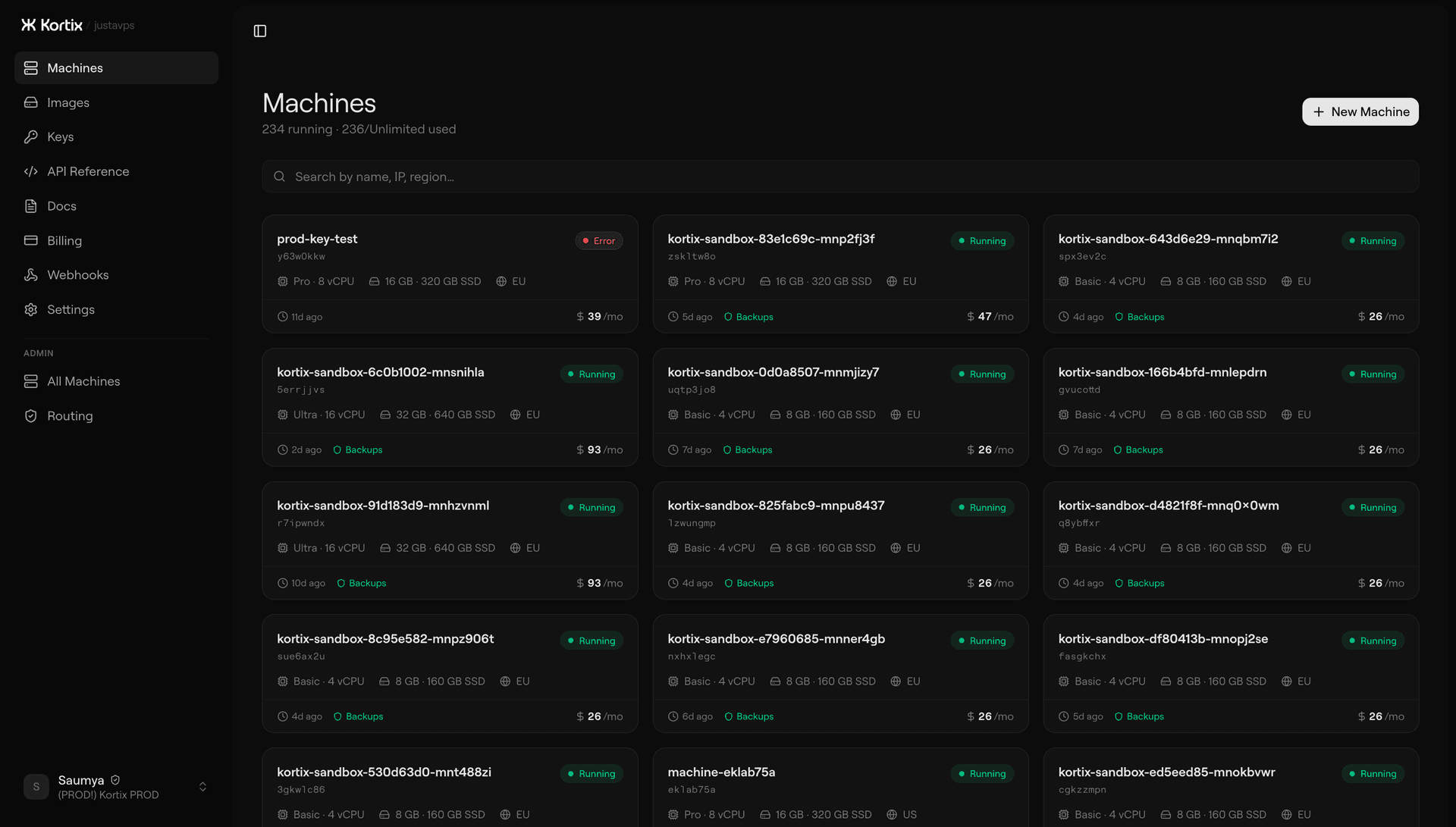
I work across the stack. On JustAVPS that meant the Next.js dashboard and Hono API on the platform side, the Go daemon that runs on every provisioned machine, and the Go broker that sits at the edge. The pieces I owned end-to-end were the port proxy path from Cloudflare all the way down to the daemon, and the machine lifecycle: how a Hetzner box becomes a ready-to-use machine without anyone SSHing into it to set anything up.
Why
Sandboxes like e2b and Daytona are great for bursty, short-lived work. They're expensive and constrained when what the user actually needs is a normal computer an agent can live on for days. A regular VPS does that cheaply, but the DX is stuck in 2012: pick a provider, pick a region, pick an image, SSH in with the wrong key, remember to install Caddy, configure the firewall, discover that port 3000 isn't exposed. The machine underneath is fine. Everything around it is the problem.
JustAVPS takes the same cheap VPS and wraps the annoying parts: provisioning, reverse proxy, port sharing, auth, updates. Everything the user would normally do by hand on a fresh Ubuntu box is already done before they SSH in.
Cheap VPSes are solved. What isn't solved is the hour of yak-shaving between booting a fresh box and actually being productive on it.
Architecture
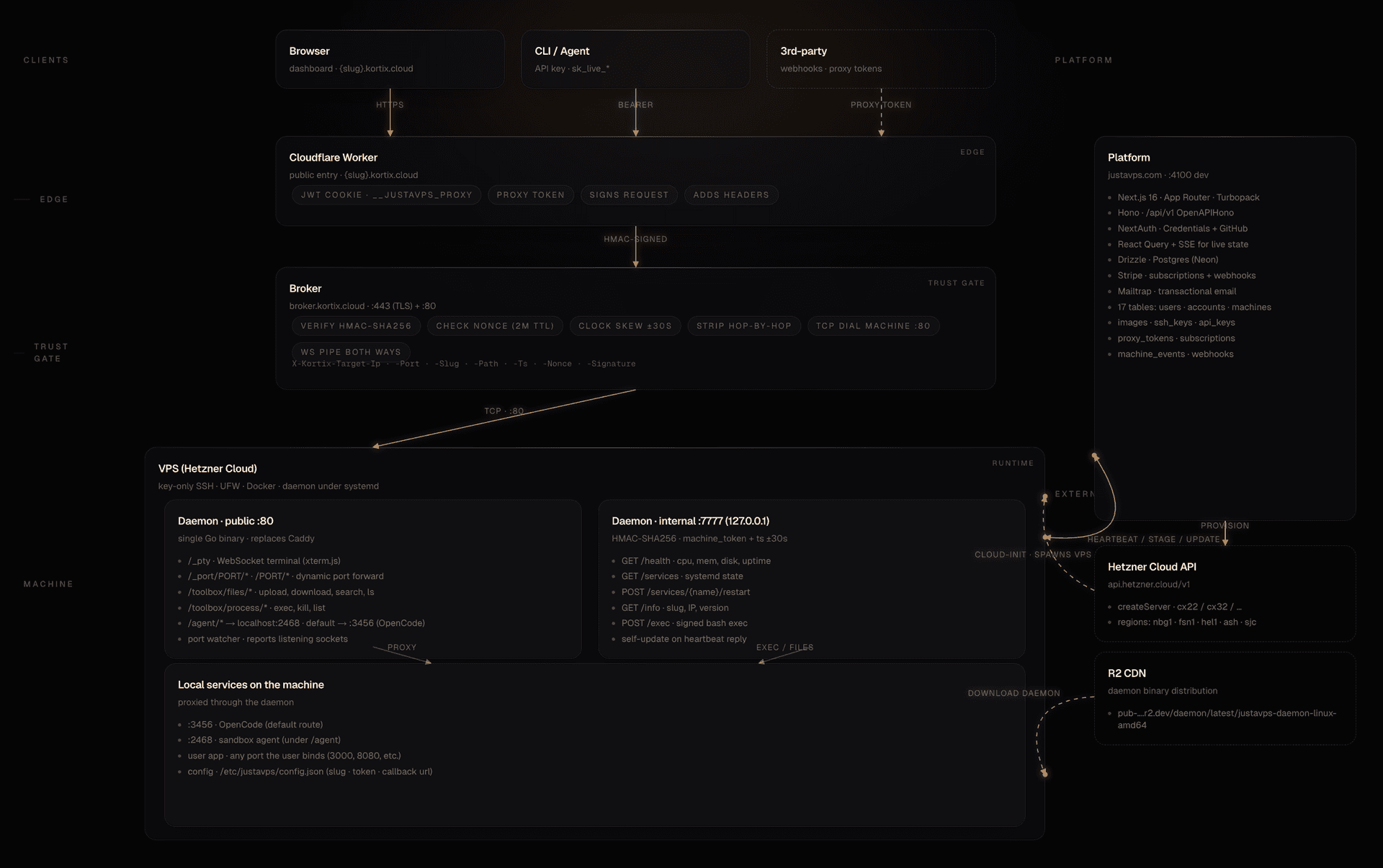
Three moving parts. A Next.js 16 web app that hosts the dashboard, the billing flows, and a Hono API mounted at /api/v1. A Go daemon that runs on every provisioned VPS and handles everything the user sees on that machine. A Go broker that sits behind Cloudflare on our own hosts and is the only thing allowed to talk to machine IPs directly. Postgres (Neon) holds state, Stripe handles billing, Cloudflare Workers handle the public entry points for each machine at {slug}.kortix.cloud.
The daemon does not hold a persistent tunnel to the platform. Machines have a public IP and listen on port 80; the broker dials them directly when a request comes in. Every request the broker forwards is HMAC-signed with a shared secret and carries a nonce that can only be used once inside a short window. No direct connection from a user's browser to a machine IP ever happens.
Daemon
The daemon is a single Go binary that replaces everything a fresh VPS would normally need a reverse proxy for. It listens on port 80 for public traffic and on 127.0.0.1:7777 for internal API calls, and ships with zero runtime dependencies. Nothing else gets installed on the box.
On port 80 it reverse-proxies to whatever the user is running. Any port the user binds locally can be reached at /_port/PORT/* or just /PORT/*. A port watcher polls open sockets on the machine so the dashboard can show a live catalog of what's listening. There is a WebSocket PTY at /_pty backed by xterm.js on the dashboard side. There are toolbox endpoints for file upload, download, search, exec, and process management. The default path routes to whatever the user wants on port 3456 (usually OpenCode or a similar editor).
The internal API on 7777 is only reachable over localhost and is how the platform asks the machine about itself: health, uptime, systemd service status, CPU and memory load, disk, network. Every call is signed with HMAC-SHA256 using the machine's token plus a timestamp that has to fall inside a thirty-second window, so a stolen token stops working the moment clocks drift.
Every thirty seconds the daemon heartbeats the platform with metrics and its current version.
The heartbeat response can include a new binary URL. When it does, the daemon downloads the binary, validates it by running the new file with --version and checking the output, swaps /usr/local/bin/justavps-daemon while keeping a .bakcopy of the old one, and restarts itself through systemd. Same-version downloads are skipped. If a restart fails, the daemon holds a sixty-second cooldown before trying again, which stops a bad release from getting into a tight crash-update-crash loop. There's no separate update channel. Heartbeats push new versions, nothing else has to.
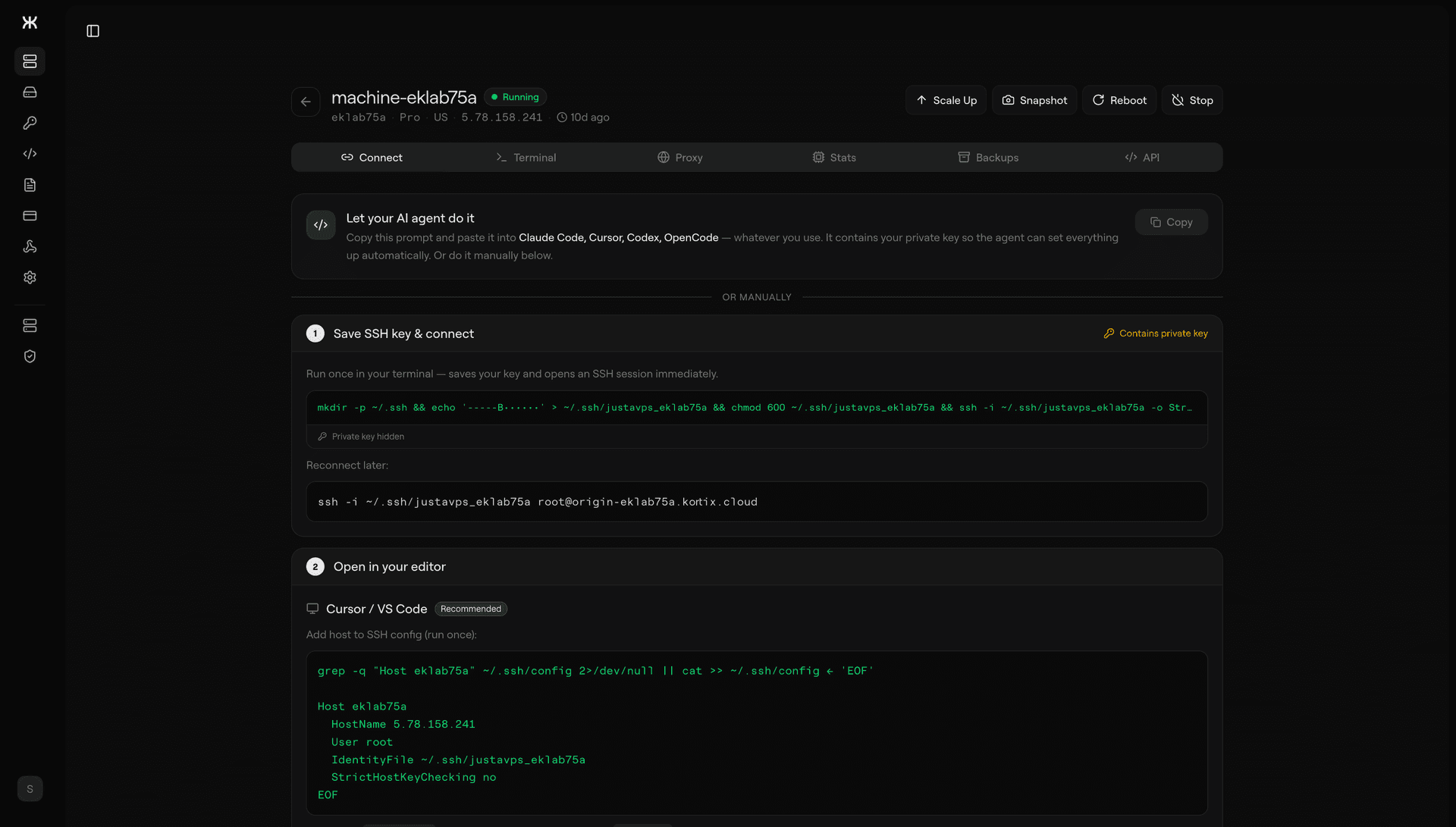
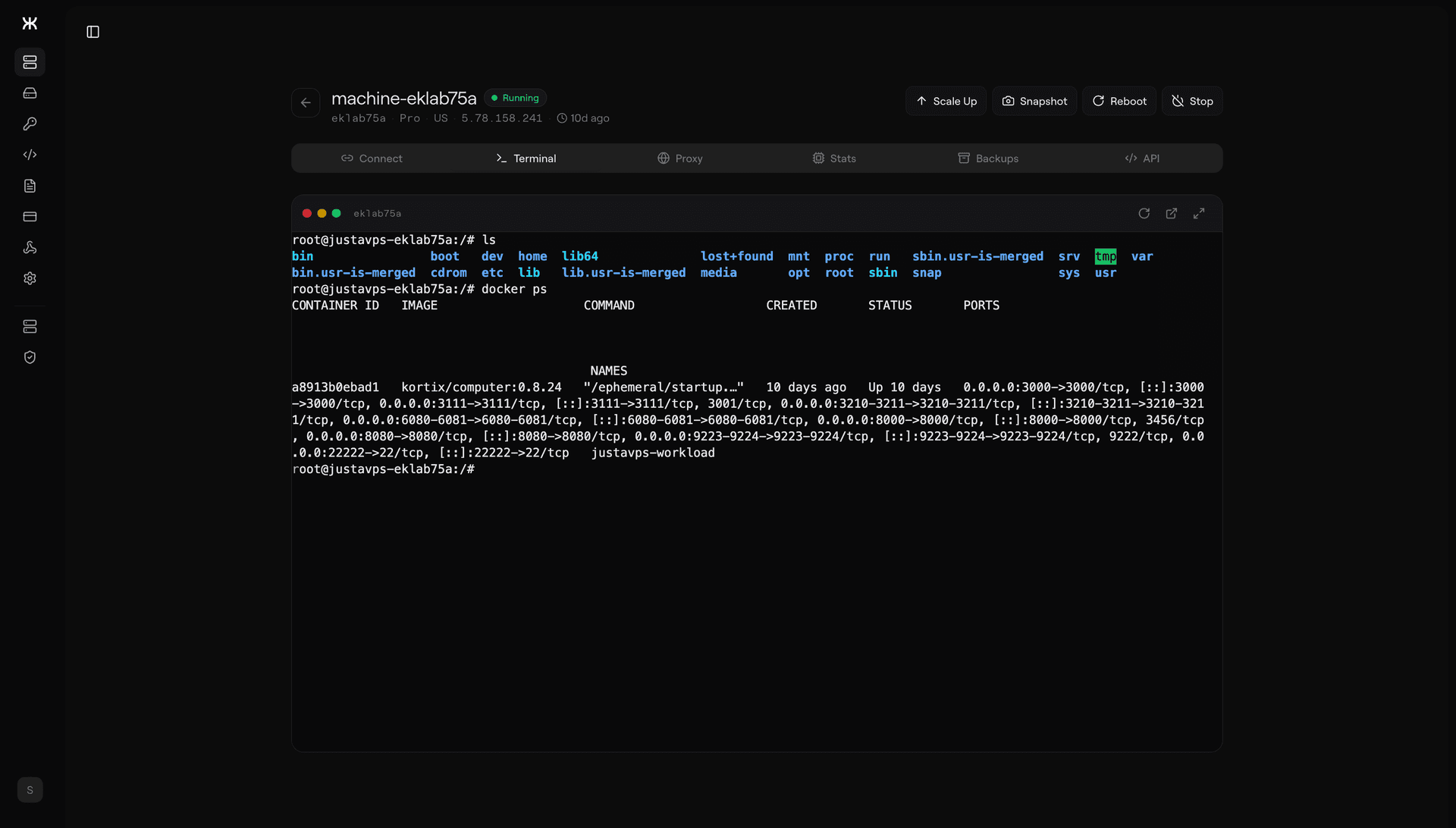
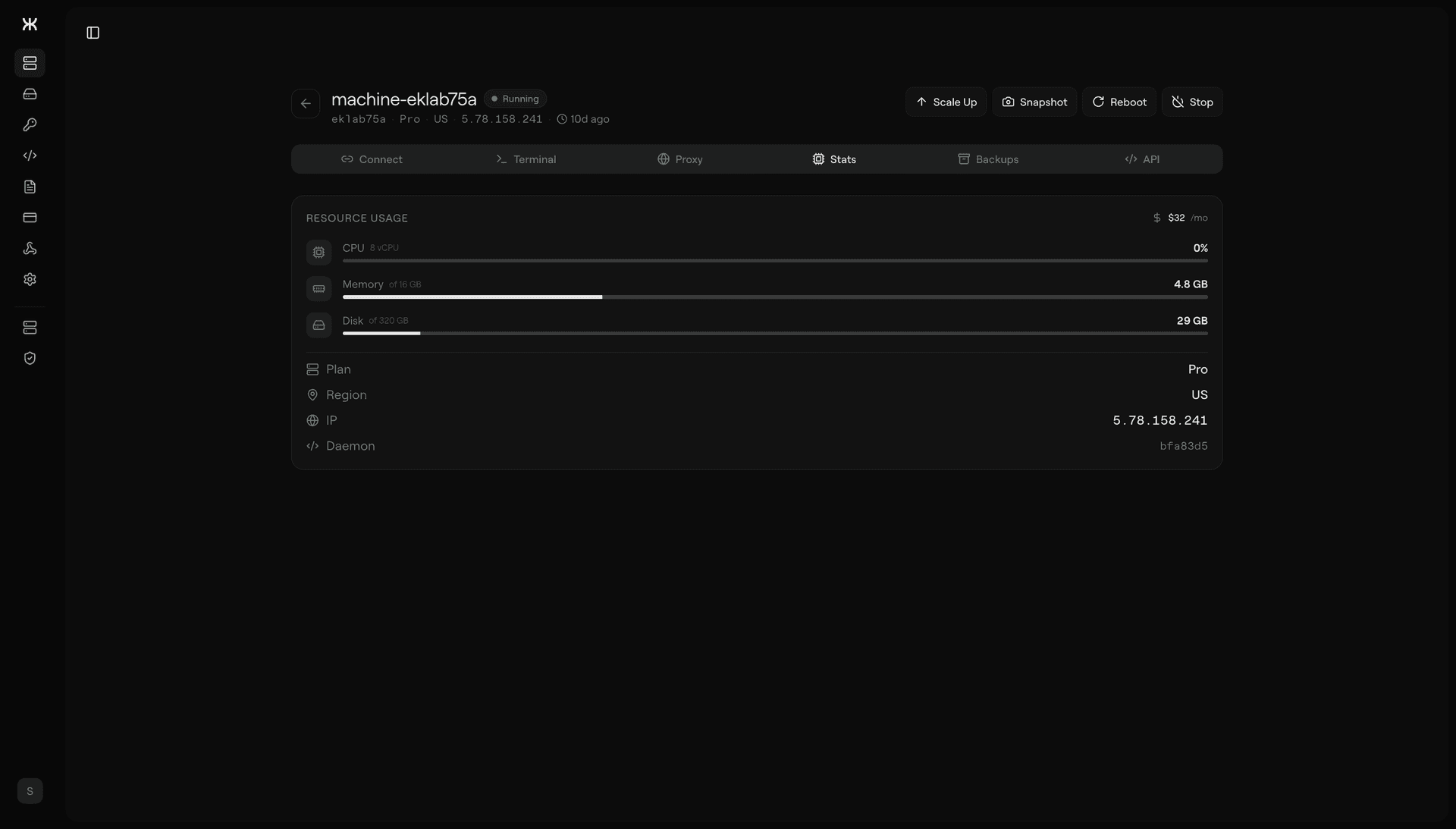
Everything a fresh VPS would normally need Caddy and a handful of scripts for lives inside one Go binary on the box.
Broker
The broker is a separate Go service deployed to our own hosts behind Cloudflare, with Origin CA certs on 443. It runs in two environments: broker.kortix-dev.cloud for preview and broker.kortix.cloud for production, both deployed by GitHub Actions. Its job is narrow.
Every request that targets a user's machine first hits a Cloudflare Worker. The Worker signs it with the broker's shared secret, adds headers for target IP, port, slug, timestamp, and nonce, and forwards it to the broker. The broker verifies and then dials the machine directly over TCP on port 80.
The signature covers all of those headers plus the original host and path. Nonces are kept in memory with a two-minute TTL and rejected on reuse. Timestamps have to be within thirty seconds of the broker's clock. Hop-by-hop headers get stripped before the request is forwarded, and the original client IP comes through as X-Real-IP so the daemon can log it properly. WebSockets go through the same path: same signature, same verification, then a bidirectional pipe to an upstream WebSocket on the machine.
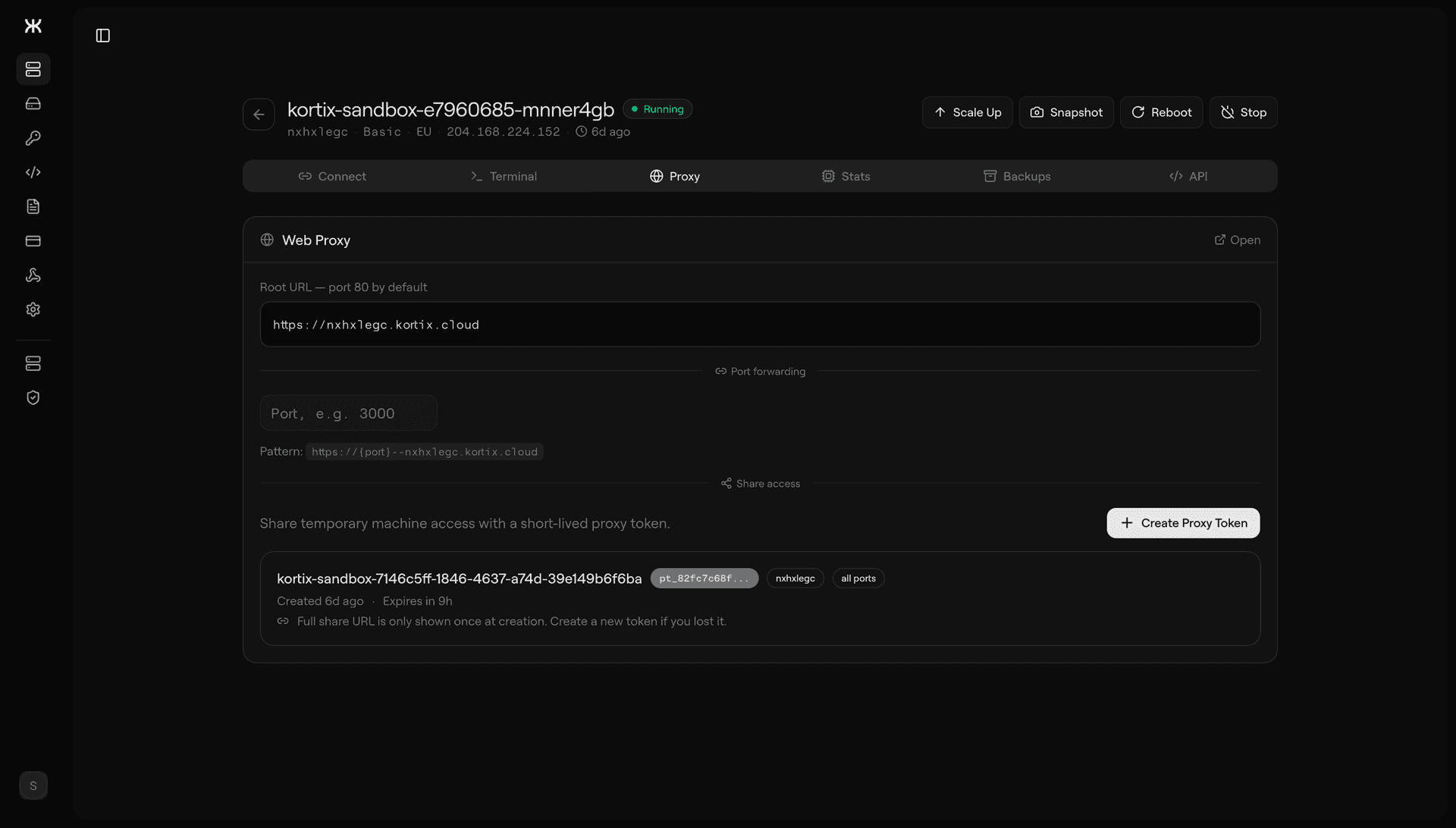
The full path a request takes to reach a user's app is worth laying out, because it's the thing that has to stay invisible when it works. The browser sends HTTPS to {slug}.kortix.cloud. Cloudflare routes it to a Worker. The Worker checks the proxy cookie or short-lived token on the request, decides whether to let it through, signs it with the broker's shared secret, attaches the target IP, port, slug, timestamp, and nonce as headers, and forwards it to the broker. The broker verifies the signature, checks the nonce against its in-memory cache, confirms the timestamp is within thirty seconds of its own clock, strips hop-by-hop headers, and dials the machine over TCP on port 80. The daemon matches the path against /_port/PORT/* and forwards to localhost:PORT on the machine. The user's app sees a normal HTTP request with a real client IP in X-Real-IP.
Auth
There are five different auth mechanisms in the codebase, each sitting at a different trust boundary. NextAuth handles web dashboard sessions with credentials and GitHub OAuth. API keys are issued per account, prefixed sk_live_, and can carry scoped permissions for read, write, delete, exec, or proxy. Machine tokens are per-machine HMAC secrets used for the internal :7777 API. The broker has its own shared secret for signing proxy requests from the Cloudflare Worker. And proxy JWTs, stored in an __justavps_proxy cookie, gate browser access to machine port-proxies, with short-lived proxy tokens as the shareable alternative when a user wants to send someone a link to a running dev server without handing over their whole account.
The split keeps each boundary honest. A leaked API key can't talk to the daemon's internal API. A leaked proxy token can't touch the platform. And the broker secret, which is the one thing that unlocks a direct TCP dial to any machine, only lives on two places: our broker hosts and our Cloudflare Workers. Nothing else ever sees it.
Provisioning
When a user clicks "create machine", the platform generates a slug, a machine token, and an SSH key pair, registers the key with Hetzner, and builds a cloud-init script that bakes all of that into the first boot. The script locks the box to key-only SSH, configures UFW, installs Docker if it isn't in the base image, downloads the daemon binary from our R2 CDN, writes the config to /etc/justavps/config.json, and installs a systemd unit that starts the daemon on boot.
The platform does not SSH into the machine after that. It waits for the first heartbeat. Everything else (tool bootstrap, service registration, readiness) is driven by the daemon itself reporting stages back: server_creating, server_created, cloud_init_running, cloud_init_done, services_ready. Each transition becomes an entry in machine_eventsand a frame on the dashboard's SSE stream, so a user watching the provisioning page sees the real state of the machine, not a loading spinner.
Only Hetzner Cloud is actually wired up today. The provider layer is an interface (createServer, listServerTypes, listRegions, getServerStatus, createImage), and adding OVH or Contabo is a matter of implementing that interface without touching anything else.
- Next.js 16
- TypeScript
- Hono
- NextAuth
- Drizzle
- Postgres (Neon)
- React Query
- Go
- Cloudflare Workers
- Stripe
- Hetzner Cloud